Broker profiles & templates
Save your brokers with ready-made templates for Mosquitto, Home Assistant, Zigbee2MQTT and AWS IoT. You get one profile free and more with Pro, and the app reconnects with backoff when the network changes.
MQTT Commander is a professional MQTT client and debugger for iPhone and iPad. Connect to Mosquitto, Home Assistant, Zigbee2MQTT or AWS IoT, inspect every payload, and find out why a connection fails.
Free · Pro unlock $4.99, one-time

Most clients report “connection failed” and stop there. MQTT Commander walks the connection one stage at a time and names the step that broke, with a plain-language cause and a suggested fix.

Import a CA as PEM and your client identity as a .p12/.pfx bundle, and MQTT Commander checks the certificate's expiry and hostname, then keeps every secret in the iOS Keychain.

83 seconds in the app: browse a live topic tree, read parsed JSON, publish with QoS and retain, then run Connection Doctor on a broker that fails its TLS check.
A full debugging toolkit, built mobile-first for the way you work.
Save your brokers with ready-made templates for Mosquitto, Home Assistant, Zigbee2MQTT and AWS IoT. You get one profile free and more with Pro, and the app reconnects with backoff when the network changes.
Full MQTT 5 properties, QoS 0/1/2, retained messages, Last Will, wildcard and shared subscriptions, over TCP, TLS, WebSocket or WSS.
Pretty-print and syntax-highlight JSON, diff two payloads, decode hex and Base64, preview images, and copy any value by JSONPath.
Browse the whole broker or jump straight to homeassistant/# and zigbee2mqtt/#. Retained markers, regex filtering, and built to handle thousands of topics.
Draft-first publishing with QoS, a retain warning, explicit retained-delete confirmation, reusable templates and safe home-automation presets.
Filter traffic by topic, payload, direction, QoS or errors, then export to CSV or JSON, with secrets and raw payloads redacted.
Connections, topics, payloads, credentials and certificates stay on your device and never reach our servers. The app sends only anonymous, optional diagnostics, which you can switch off in Settings.
Other MQTT clients are desktop-bound or bare-bones viewers. This one debugs from your phone.
Real screens from the app.
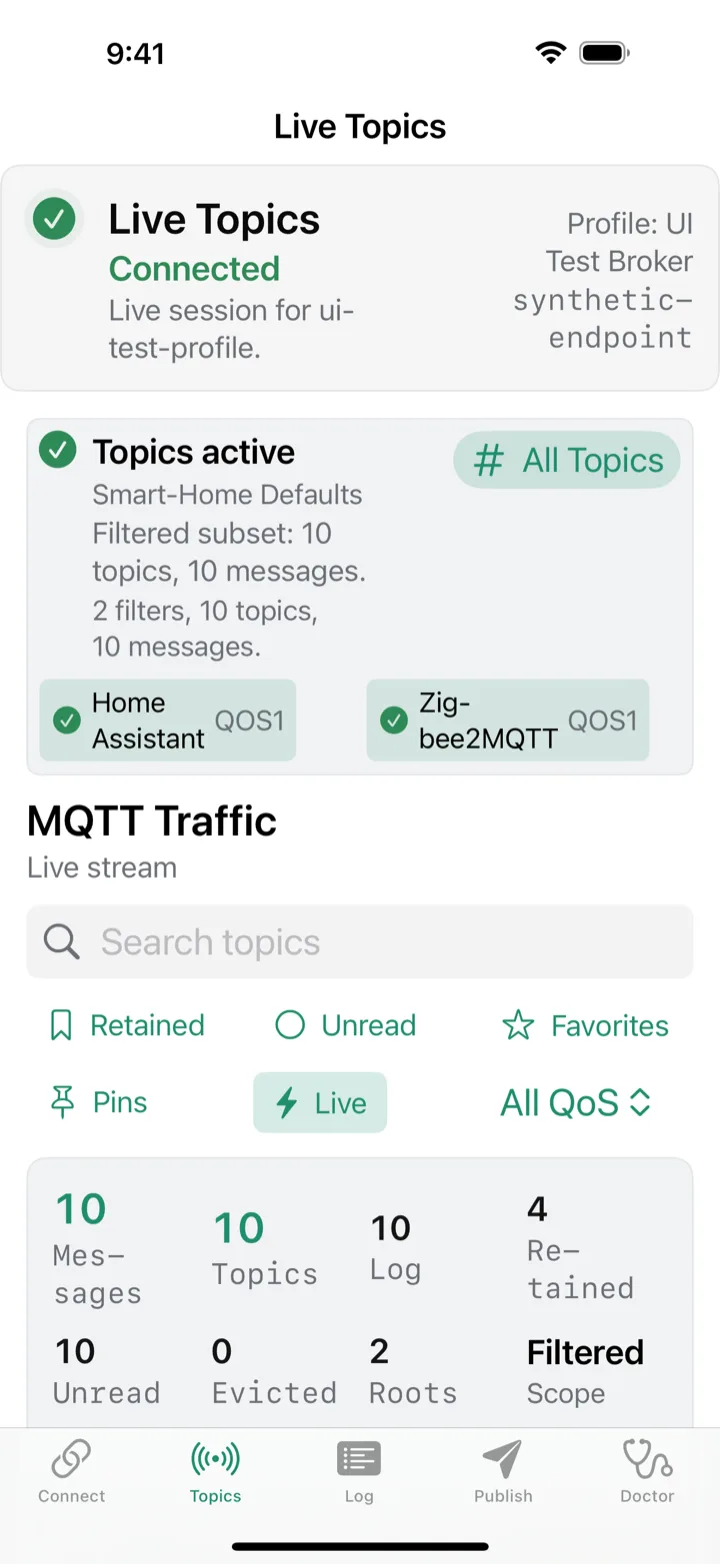
Smart-home topics at a glance
Both MQTT 3.1.1 and MQTT 5.0, including full MQTT 5 properties, QoS 0/1/2, retained messages, Last Will, and wildcard and shared subscriptions.
Yes. Plain TCP, TLS, WebSocket and secure WebSocket are all supported. The Certificate Manager imports a CA as PEM and your client identity as a .p12/.pfx bundle, checks the certificate's expiry and hostname, and supports ALPN and SNI overrides for setups like AWS IoT Core.
Yes. There are built-in presets for homeassistant/# and zigbee2mqtt/#, plus safe command templates for common actions like permit_join and restart.
Connections, topics, payloads and credentials stay on your device and never reach us. The app does send anonymous crash and usage diagnostics (via Sentry and Aptabase) to help us improve it, with no personal data and no cross-app tracking, and you can turn it off in Settings.
No. The app is free to download, and Pro is a one-time $4.99 unlock you keep for good. No subscription, no ads.
iPhone and iPad running iOS 17 or later. The interface is native SwiftUI and adapts to both.
Connect, inspect, publish and diagnose, from the broker on your bench to mTLS endpoints in the field.
Free · Pro unlock $4.99, one-time